> For the complete documentation index, see [llms.txt](https://help.sipgate.de/llms.txt). Markdown versions of documentation pages are available by appending `.md` to page URLs; this page is available as [Markdown](https://help.sipgate.de/ai-agents/en/statistics-and-analytics/statistiken-and-analysen.md).
# Statistics & Analytics
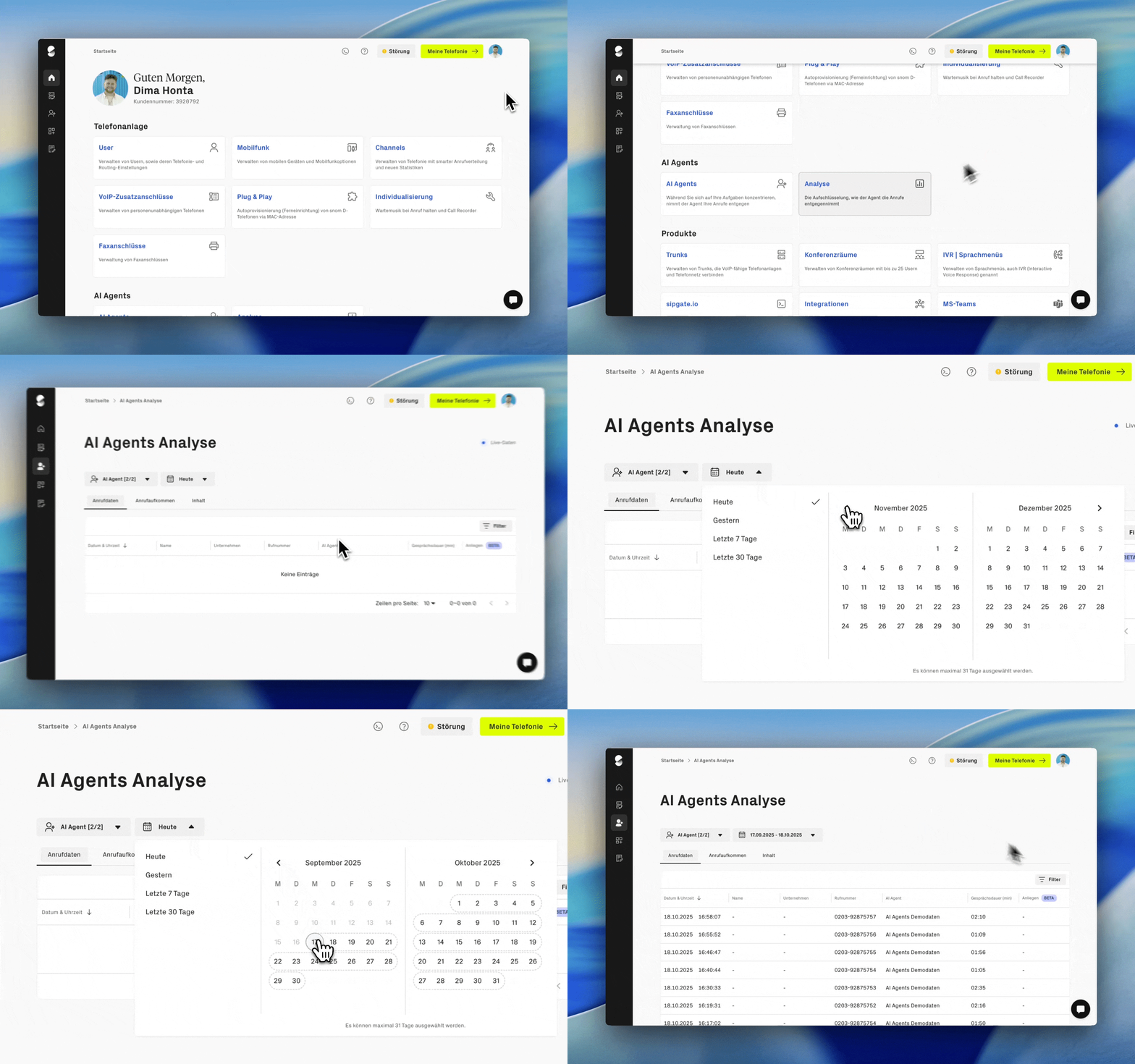
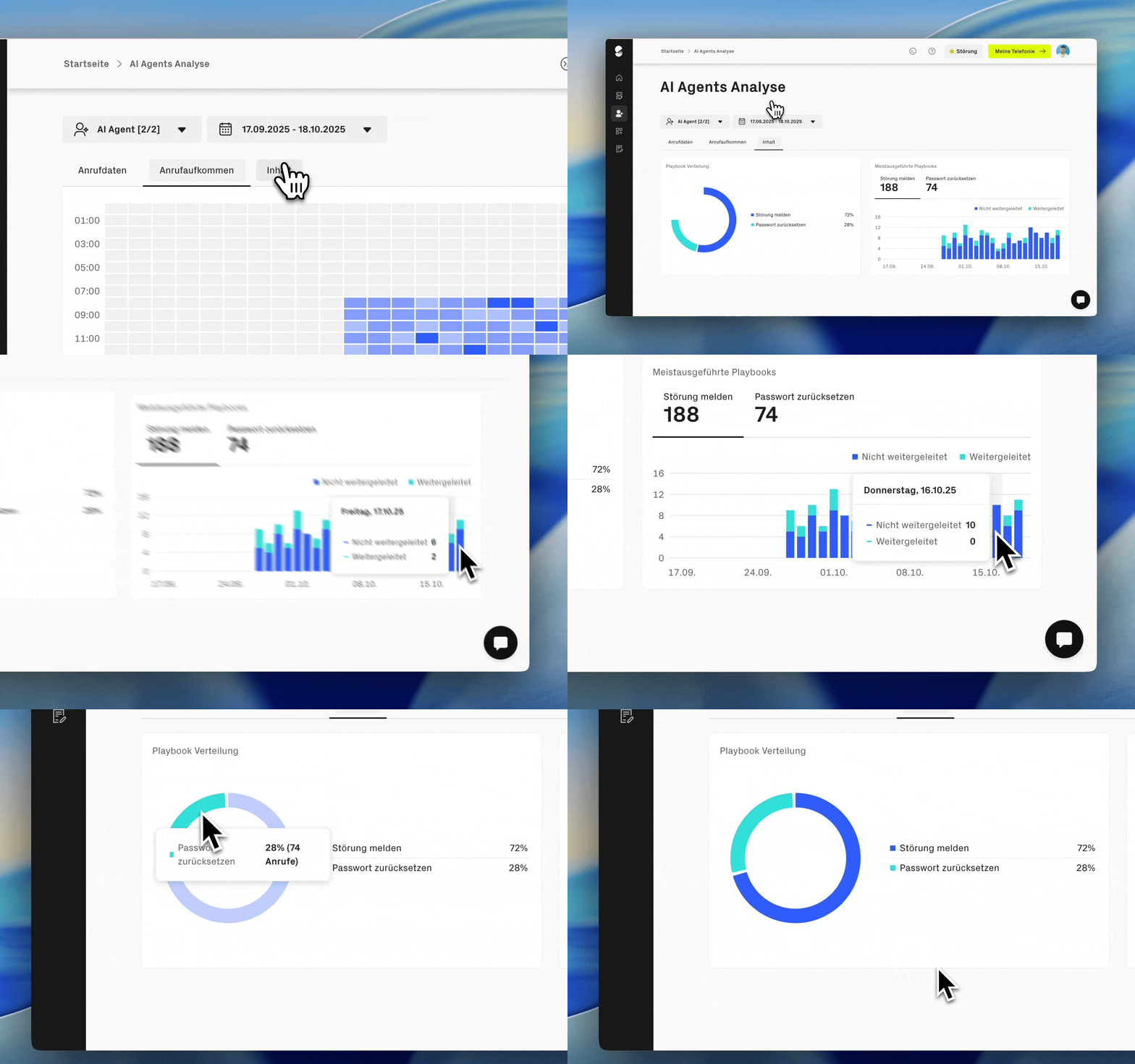
In the Analytics area, you get an overview of how your agent is actually used. The statistics show when calls come in, which topics are discussed, and how usage develops over different periods. This allows you to optimize your agent in a targeted way, adjust capacities, or improve content.
### Where can I find the statistics?
You can find the analyses in the logged-in area under **Account management → AI Agents → Analytics.**
### What is evaluated?
In the analytics you can see, among other things:
* Call volume and call duration over different periods
* At what times of day and hours calls come in
* Which topics and questions arise in the conversations
* How often the agent answers or forwards calls itself
### Set period and filters
You can filter the statistics by different periods and narrow them down in a targeted way. Also by individual agents or across all of them, by certain time windows or thematic focal points.
In the area **Call volume** you can see at a glance: when and how many calls were received, how long they lasted, and how call time is distributed over the selected period. The breakdown by individual days shows patterns and helps with capacity planning.
Under **Content** it is about the conversation content: Which topics were discussed, which questions were asked, how often were there transfers? This makes it possible to identify thematic focuses and specifically evaluate the performance of your agents.
In addition, calls can be evaluated by customer concerns, transfer destinations, and playbooks, so you can specifically see which topics are on callers' minds and where there is a need for optimization.
### What are the statistics useful for?
The analyses help assess how your agent is being used and to choose or adjust the right package. For details on individual conversations, the conversation logs are the right place to go.
---
# Agent Instructions
This documentation is published with GitBook. GitBook is the documentation platform designed so that both humans and AI agents can read, navigate, and reason over technical content effectively. Learn more at gitbook.com.
## Querying This Documentation
If you need additional information that is not directly available in this page, you can query the documentation dynamically by asking a question.
Perform an HTTP GET request on the current page URL with the `ask` query parameter, and the optional `goal` query parameter:
```
GET https://help.sipgate.de/ai-agents/en/statistics-and-analytics/statistiken-and-analysen.md?ask=&goal=
```
`ask` is the immediate question: it should be specific, self-contained, and written in natural language.
`goal` is optional and describes the broader end goal you are ultimately trying to accomplish on behalf of the user. GitBook uses it to tailor the answer towards what is most useful for that goal.
The response will contain a direct answer to the question and relevant excerpts and sources from the documentation.
Use this mechanism when the answer is not explicitly present in the current page, you need clarification or additional context, or you want to retrieve related documentation sections.