> For the complete documentation index, see [llms.txt](https://help.sipgate.de/llms.txt). Markdown versions of documentation pages are available by appending `.md` to page URLs; this page is available as [Markdown](https://help.sipgate.de/ai-agents/en/behavior/wissensdatenbank.md).
# Knowledge base
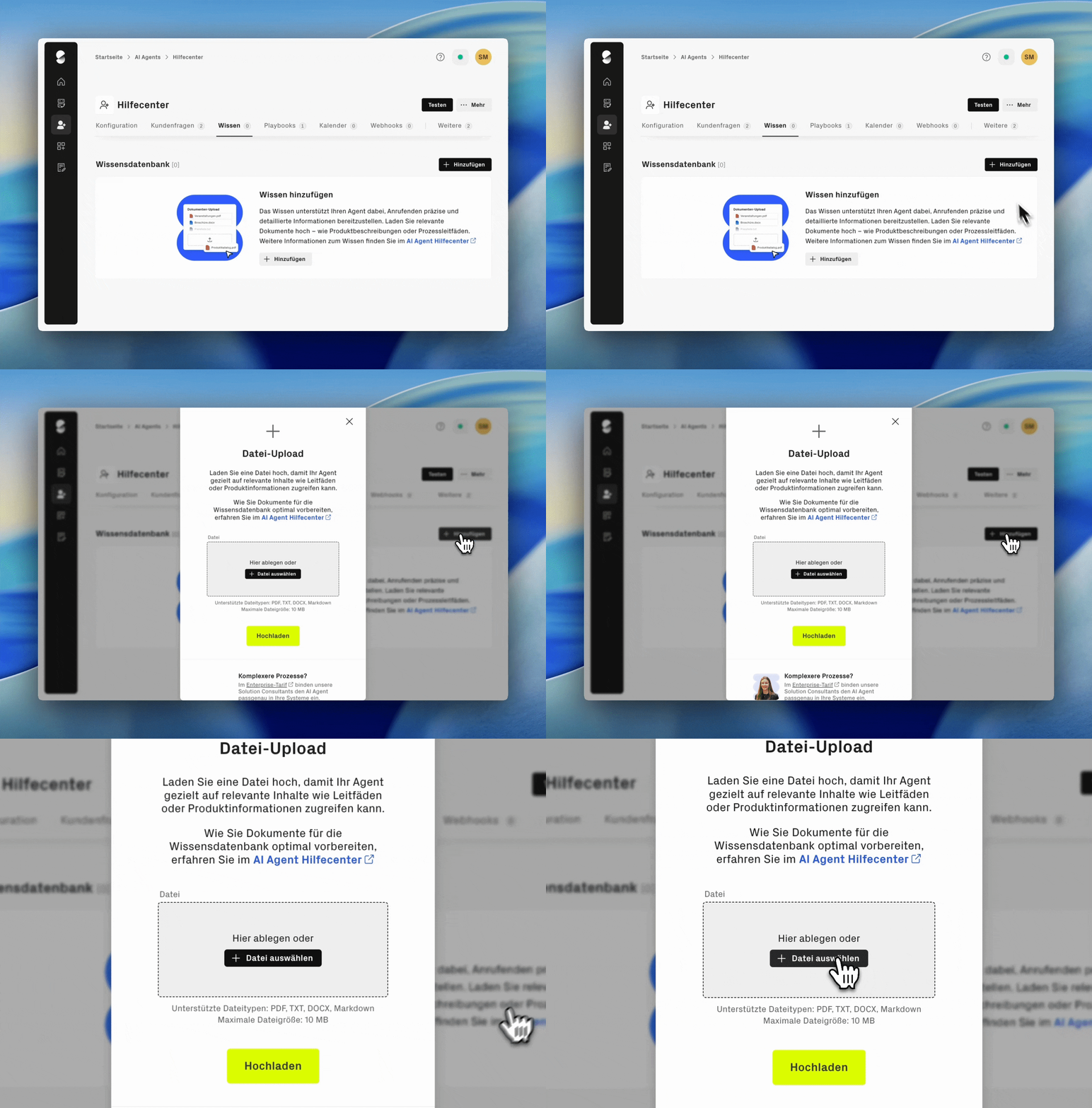
In addition to individual customer questions, you can provide your AI Agent with a knowledge base containing your own content, such as FAQs or product information.
The agent uses this content to better understand requests and derive suitable responses. The knowledge base can be expanded or updated at any time.
### Preparing documents optimally for the knowledge base
To enable your AI Agent to process uploaded documents as effectively as possible, you should pay attention to the following when preparing them.
#### **Structure & format**
* Use a clear structure with meaningful headings
* Use continuous text instead of scanned documents
* Avoid tables if possible or convert them into plain text
{% hint style="info" %}
**Supported formats:** PDF, TXT, DOCX, Markdown, PPTX, XLSX, PNG and JPEG. One file per upload is possible, with a maximum of 10 MB.
{% endhint %}
#### **Content optimization**
* For extensive content, split it into several topic-based documents
* Automatically generated document titles can be renamed at any time – meaningful titles make it easier to keep track later
* Avoid duplicates with customer questions already stored
#### What does a good document look like?
{% columns %}
{% column %}
**Well suited:**
* Pure, clearly structured text documents with a clear topic, because the AI Agent can analyze text particularly reliably
* Meaningful headings for each section
* Files with selectable text, for example Markdown or PDF
{% endcolumn %}
{% column %}
**Less suitable:**
* Content that consists mainly of tables, images, or graphics
* Scanned PDFs where the text is only available as an image
{% endcolumn %}
{% endcolumns %}
{% hint style="warning" %}
**Notes:**
* Do not upload process descriptions or behavioral instructions for the AI Agent to the knowledge base. Such workflows belong in playbooks, because playbooks specifically control conversation steps and behavior. Content from the knowledge base cannot be interpreted as process instructions for this purpose.
* Store in the knowledge base only information that may also be shared with callers. The AI Agent can use content from the knowledge base during conversations. Confidential, internal, or non-public information therefore does not belong in the knowledge base.
{% endhint %}
### Expand and update the knowledge base
Your AI Agent's knowledge base can be expanded and updated at any time. If content changes, upload the updated version manually. New or changed documents will then be taken into account in future conversations.
If answers seem incomplete or inappropriate, download the document or edit it in the original source. Then upload the updated version to the knowledge base and delete the old document.
{% hint style="info" %}
**Note:** If the AI Agent uses inappropriate information in individual conversations, sipgate [**Customer support**](https://www.sipgate.de/support-anfrage) can check which knowledge document was used in the respective call. Have the date and time of the call ready for this.
{% endhint %}
### Knowledge base vs. playbooks – What's the difference?
The features serve different functions.
{% columns %}
{% column %}
**Knowledge base:**\
Determines, **what** the AI Agent can say.
In other words, which information, facts, and answers are available to it.
{% endcolumn %}
{% column %}
**Playbooks:**\
Define, **how** the AI Agent proceeds .
In other words, which steps are followed in a conversation, for example collecting callback details or forwarding a request to an employee.
{% endcolumn %}
{% endcolumns %}
{% hint style="info" %}
In the [**Enterprise plan**](/ai-agents/en/plans-and-costs/enterprise-tarif-leistungen-und-einfuhrungsprozess.md) knowledge sources and processes can be integrated and automated more individually. Our team supports you from concept to implementation.
{% endhint %}
---
# Agent Instructions
This documentation is published with GitBook. GitBook is the documentation platform designed so that both humans and AI agents can read, navigate, and reason over technical content effectively. Learn more at gitbook.com.
## Querying This Documentation
If you need additional information that is not directly available in this page, you can query the documentation dynamically by asking a question.
Perform an HTTP GET request on the current page URL with the `ask` query parameter, and the optional `goal` query parameter:
```
GET https://help.sipgate.de/ai-agents/en/behavior/wissensdatenbank.md?ask=&goal=
```
`ask` is the immediate question: it should be specific, self-contained, and written in natural language.
`goal` is optional and describes the broader end goal you are ultimately trying to accomplish on behalf of the user. GitBook uses it to tailor the answer towards what is most useful for that goal.
The response will contain a direct answer to the question and relevant excerpts and sources from the documentation.
Use this mechanism when the answer is not explicitly present in the current page, you need clarification or additional context, or you want to retrieve related documentation sections.