> For the complete documentation index, see [llms.txt](https://help.sipgate.de/llms.txt). Markdown versions of documentation pages are available by appending `.md` to page URLs; this page is available as [Markdown](https://help.sipgate.de/ai-agents/en/behavior/playbooks.md).
# Playbooks
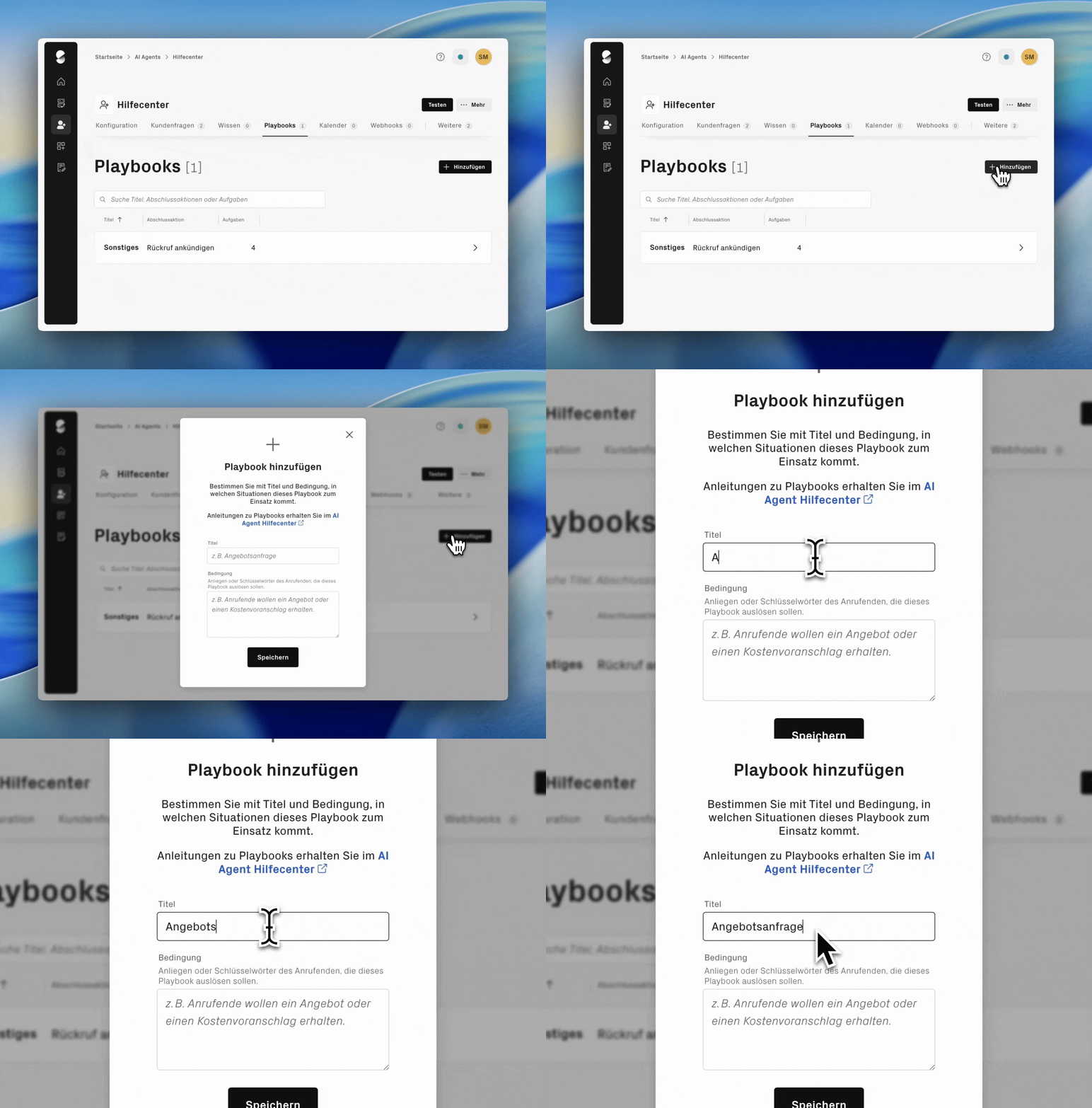
Playbooks define how your AI agent responds to specific concerns and which steps are carried out in the process. They are used when conversations should not just be answered, but handled in a targeted way. For example, to collect information, check requests, or pass content on to your team.
This makes playbooks the foundation for structured and automated conversation workflows.
### What are playbooks used for?
Playbooks are suitable for requests that require a clear, structured process.
**Examples of use cases for playbooks:**
* Record callback requests with full contact details
* Document support or service requests in a structured way
* Categorize and forward invoice or contract questions
* Capture appointment requests when no calendar integration is connected
{% hint style="warning" %}
**Note:** If you have connected a calendar integration, do not create an additional playbook for scheduling appointments. The AI agent automatically recognizes appointment requests through the calendar integration and can book appointments directly. An additional playbook can cause the request to be assigned incorrectly.
{% endhint %}
### How do playbooks work?
A playbook controls how your AI agent handles a conversation. It can be used to specifically ask for information such as customer numbers, problem descriptions, or contact options. The agent confirms the collected details and then passes them on. For example, by email, webhook, or as a summary in the sipgate app.
{% hint style="info" %}
**Note:** Newly created playbooks are initially deactivated. The AI agent can only use them for suitable requests after they have been activated. Deactivated playbooks are ignored and do not need to be deleted.
{% endhint %}
### Name and describe playbooks clearly
The title and description of a playbook influence when it is selected by the AI agent. Make both clear, unambiguous, and thematically distinct. Similar, imprecise, or overly general details can cause the AI agent to choose an unsuitable playbook.
{% hint style="success" icon="lightbulb" %}
Test the naming of your playbooks deliberately with different formulations and adjust titles if necessary to ensure clear assignment.
{% endhint %}
### Define playbook conditions
Make sure the conditions are precise and specific in order to reliably trigger relevant playbooks. These conditions could include keywords, specific phrases, or specific concerns of the callers. Regularly check whether the defined conditions are still being applied correctly and optimize them if necessary for better AI agent performance.
## Use tasks in the playbook in a targeted way
A playbook consists of individual tasks. They define what the AI agent should do in the conversation:
* **Ask for information**, for example customer numbers, contact details, or problem descriptions
* **Pass on instructions**, such as instructions or information for callers
* **Map simple if-then workflows**, for example, ask an additional question depending on the answer
* **Highlight important details in the summary**, so they are directly visible for follow-up processing
Tasks can be set up as mandatory or optional. This allows the conversation flow to be tailored specifically to the respective request.
You can find more information under [**Summaries & Transcripts**.](/ai-agents/en/post-processing/summaries-and-transcripts.md)
### Define closing action
When creating playbooks, you can define a transfer to a freely selectable phone number, to a channel, or a callback as the desired closing action. Channels do not require their own routed phone number for this. In the analytics dashboard, you can then see which channel a call was transferred to.
Use tasks to obtain the callers' consent for the desired closing action. Based on the response, alternative actions can then be defined. For example: "Ask whether a callback is desired. If not, say that this has been noted and hang up."
### Interaction: Playbooks, knowledge base and customer questions
Playbooks define conversation workflows. The [**knowledge base**](/ai-agents/en/behavior/wissensdatenbank.md) and [**customer questions**](/ai-agents/en/behavior/kundenfragen.md) provide the answers, while playbooks control the structured approach of the AI agent. Together with conversation management, routing, and follow-up processing, this creates a stable, traceable process for your telephony.
---
# Agent Instructions
This documentation is published with GitBook. GitBook is the documentation platform designed so that both humans and AI agents can read, navigate, and reason over technical content effectively. Learn more at gitbook.com.
## Querying This Documentation
If you need additional information that is not directly available in this page, you can query the documentation dynamically by asking a question.
Perform an HTTP GET request on the current page URL with the `ask` query parameter, and the optional `goal` query parameter:
```
GET https://help.sipgate.de/ai-agents/en/behavior/playbooks.md?ask=&goal=
```
`ask` is the immediate question: it should be specific, self-contained, and written in natural language.
`goal` is optional and describes the broader end goal you are ultimately trying to accomplish on behalf of the user. GitBook uses it to tailor the answer towards what is most useful for that goal.
The response will contain a direct answer to the question and relevant excerpts and sources from the documentation.
Use this mechanism when the answer is not explicitly present in the current page, you need clarification or additional context, or you want to retrieve related documentation sections.